
Tech Chat | Mastering Laser Surveying with Orion ONE
Our first few batches of Orion ONE users have already received their equipment and put it into use. To facilitate everyone's use and to demonstrate the operation to interested professionals, in today's blog, we will introduce in detail how to use the laser surveying function and related precautions.
Before Reading:
FAQs about Laser Surveying - https://www.singularxyz.com/5878.html
Step-by-Step Guide to Laser Surveying with Orion ONE
1. Establish Connection and Ensure RTK Fixed Solution
Begin by connecting your Orion ONE receiver to the SingularPad software via Bluetooth. Ensure the receiver achieves a fixed RTK solution before proceeding.
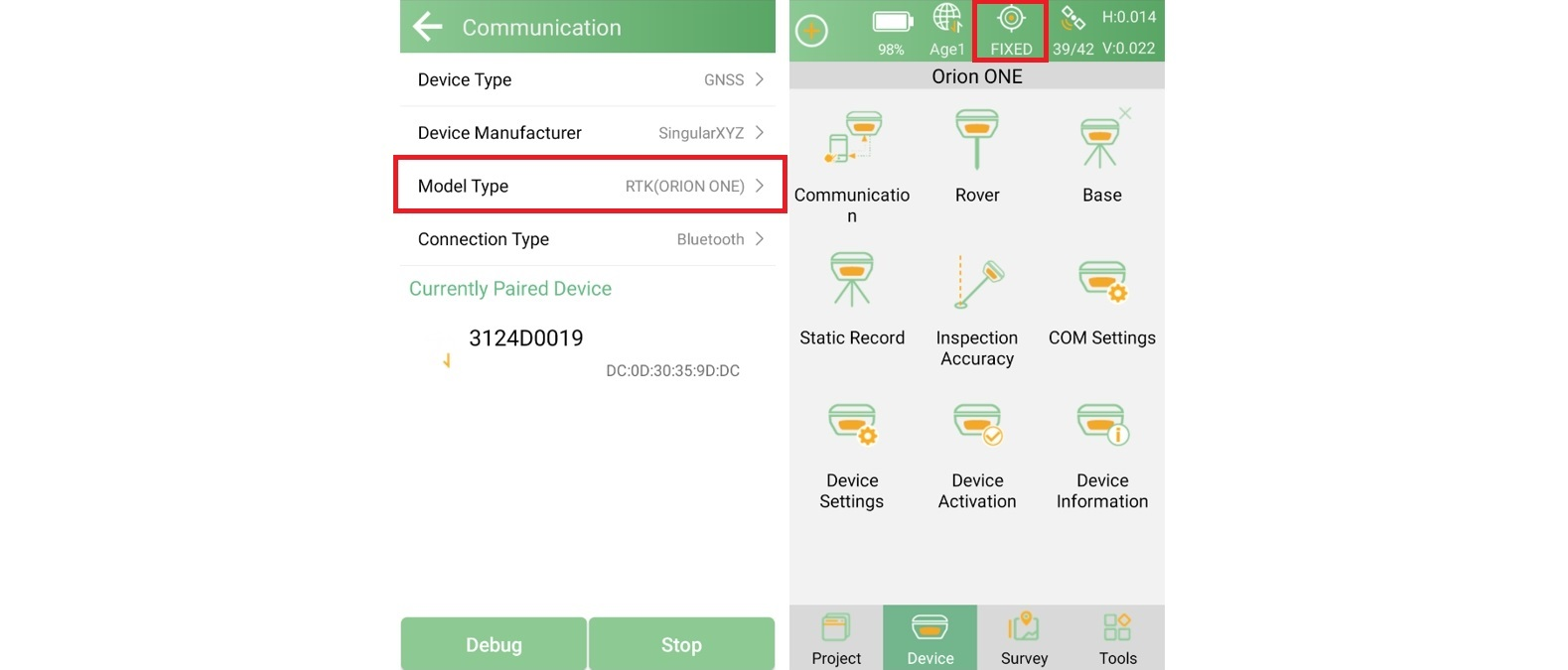
How to set work mode and get fixed? - Watch SingularPad Tutorial Series
2. IMU Initialization
Before activating laser surveying, initialize the IMU tilt function as prompted by the software. Check that the IMU Survey icon in SingularPad shows "Ready", confirming successful initialization.
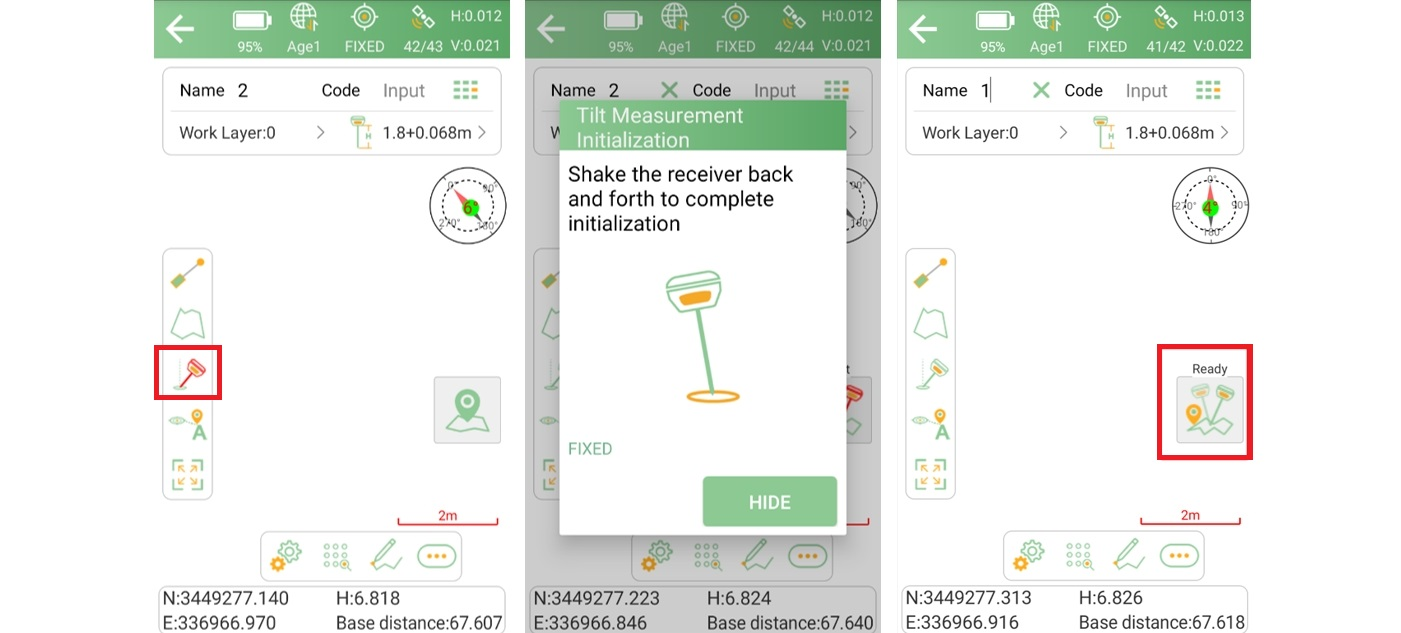
Tip: Shake the device several times during initialization to stabilize the IMU, ensuring maximum accuracy for subsequent laser measurements.
3. Activate Laser Surveying
In the Point Survey interface of SingularPad, turn on the laser surveying function. Once activated, the Orion ONE laser will be visible and ready for use, you can aim the laser beam on the target point and click survey button to survey.
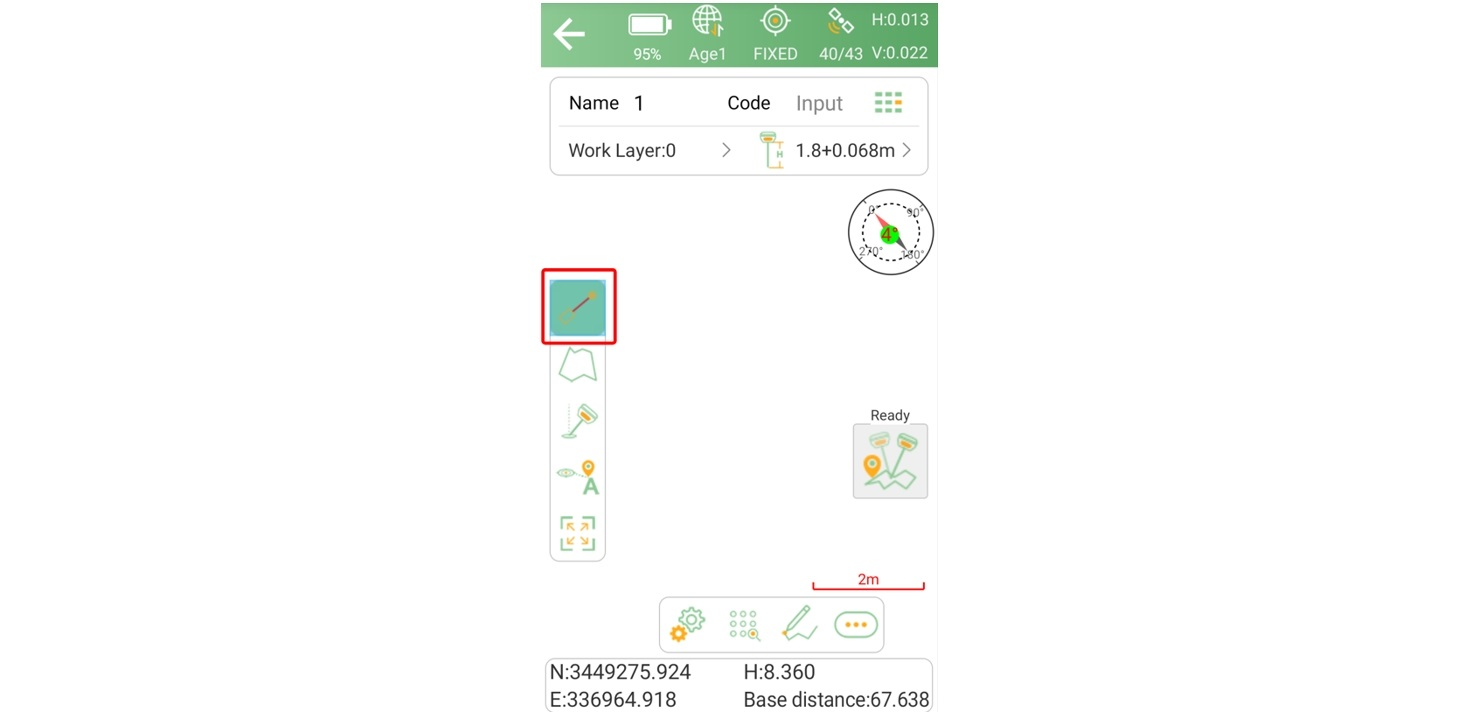
Important Note: Avoid direct eye exposure to the Orion ONE laser radiation
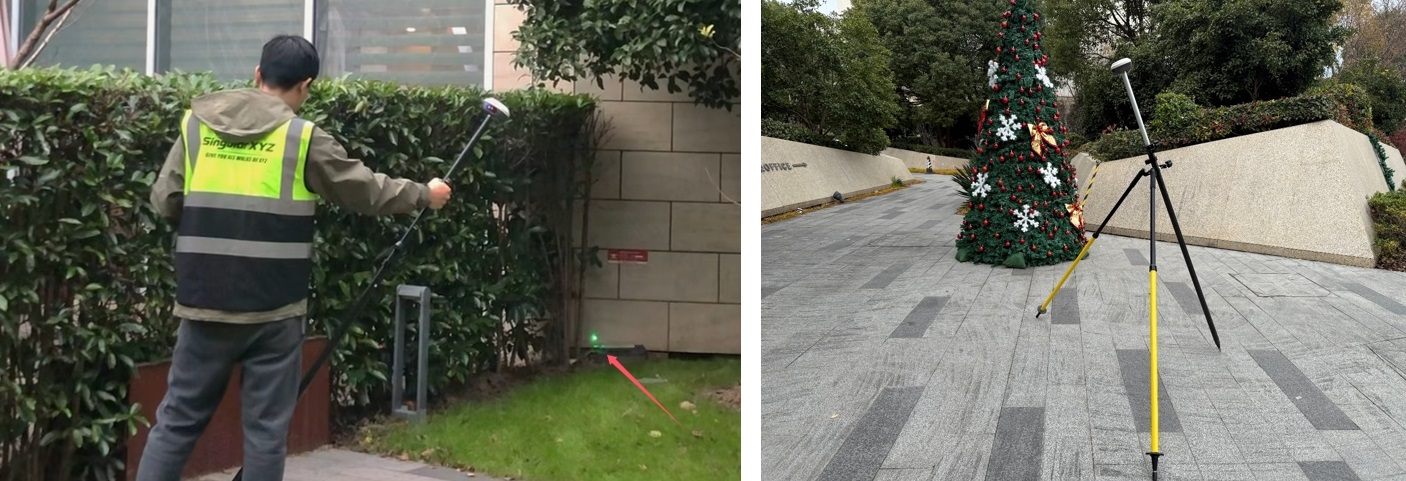
Tip-1: Use a bipod during laser surveying to reduce shaking caused by hand movements. This minimizes errors and enhances precision.
Tip-2: Although the Orion ONE laser can project over long distances, such as hundreds of meters, the recommended operating range for optimal accuracy is 3-5 meters.
4. Review Results
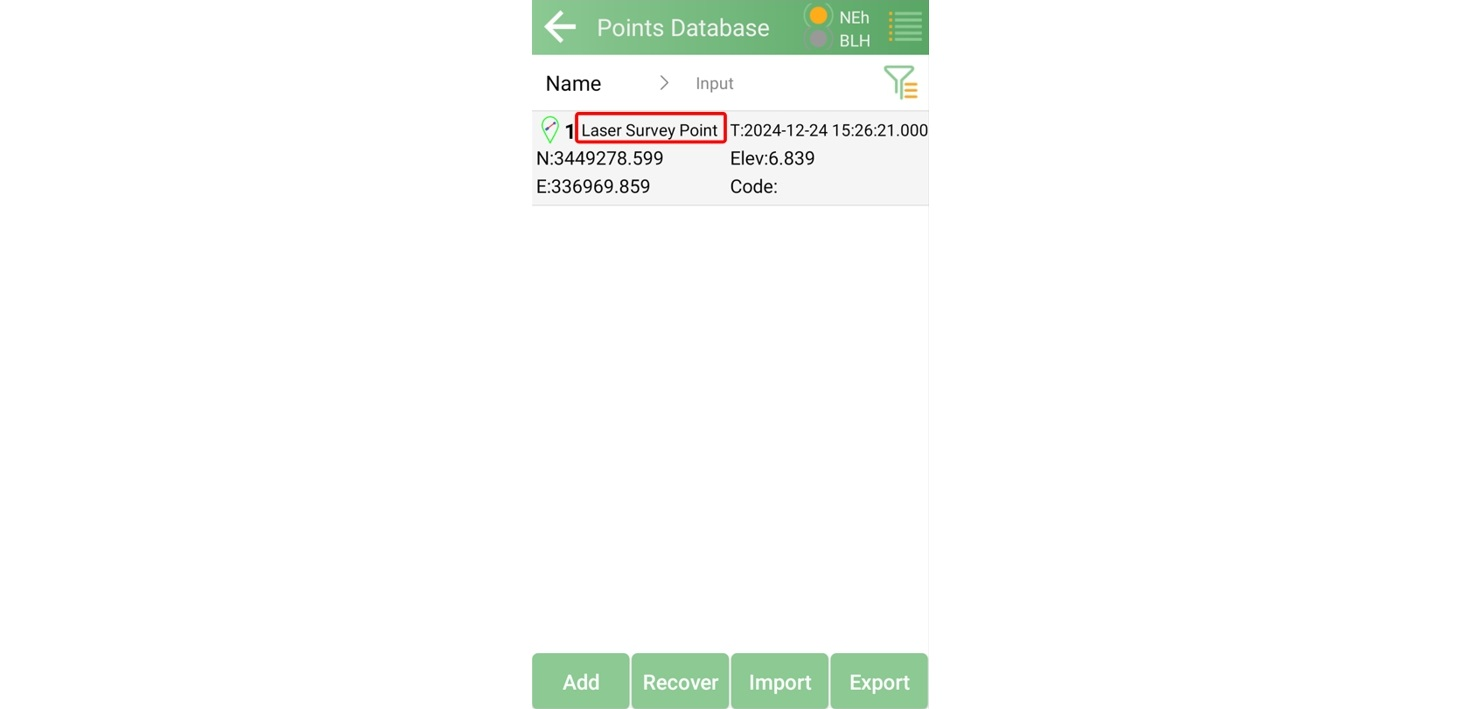
Each measured point will be recorded in the Points Database, where you can review and manage your data.
The laser surveying function of Orion ONE empowers surveyors with precise, non-contact measurement capabilities, streamlining workflows even in challenging environments. By following the steps above, you can achieve reliable results with minimal effort.
For more tips and best practices on maximizing the potential of Orion ONE, stay tuned to our blog series. Learn more about Orion ONE visual & laser RTK,
Orion ONE GNSS Receiver