
Tech Chat | Mastering Road Stakeout with SingularPad – Part 2
In the last chapter, we have explored how to import a road file like XML, and how to design a road file in different methods based on your project requirements. After the preparation work, in today's blog, let's learn how to conduct the road stakeout tasks in SingularPad software with ease.
If you missed the previous blog post, catch up here: Tech Chat | Mastering Road Stakeout with SingularPad – Part 1
After importing or designing the road file, simply select the road file and click on "stakeout" to initiate the road stakeout tasks. The software will automatically set the start point of the road as the target stake point and provide navigation information on the map.
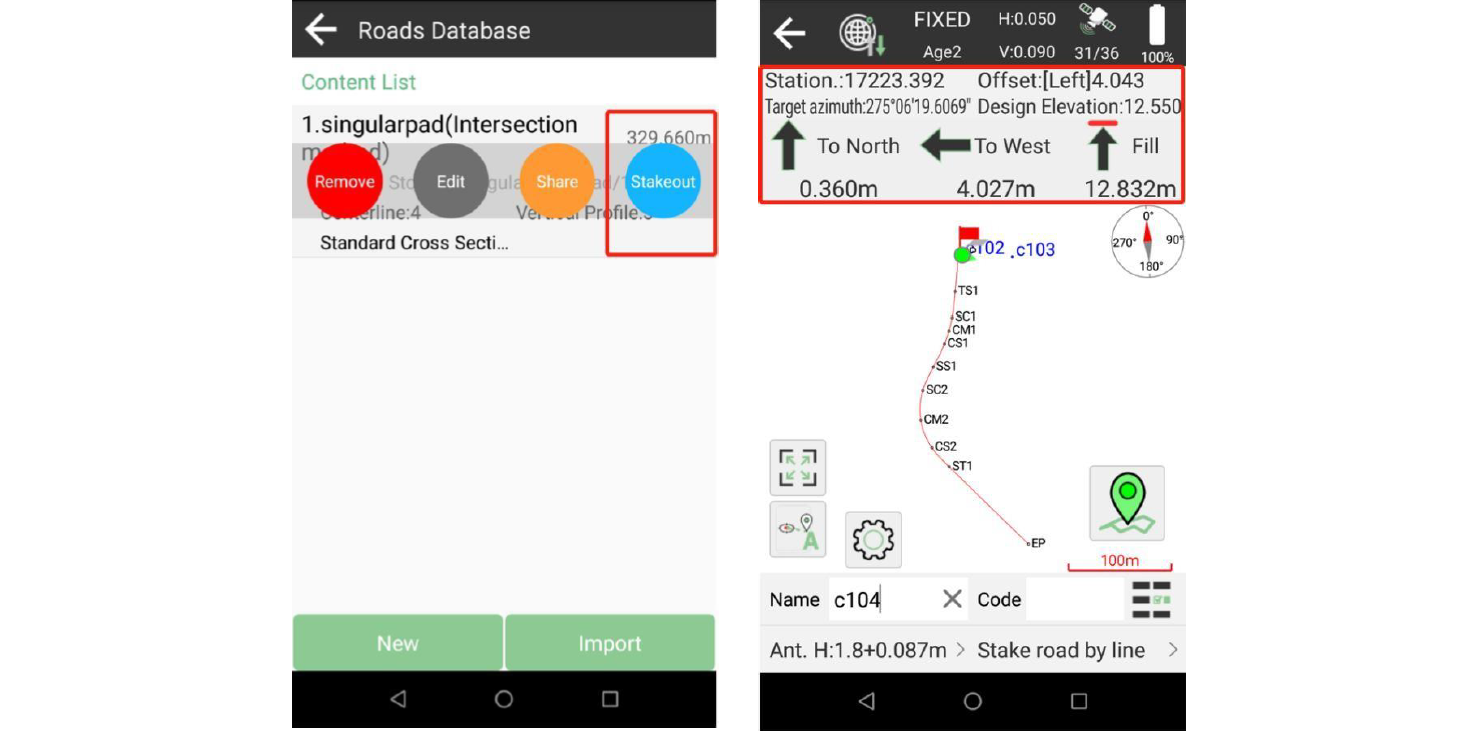
As you approach the target point, the map will display a large circle as below, indicating proximity. Once the accuracy is sufficient for staking the point, SingularPad will trigger an alarm to notify you. Press the "Survey" button to complete the point stake. There are several modes to choose from depending on the situation:
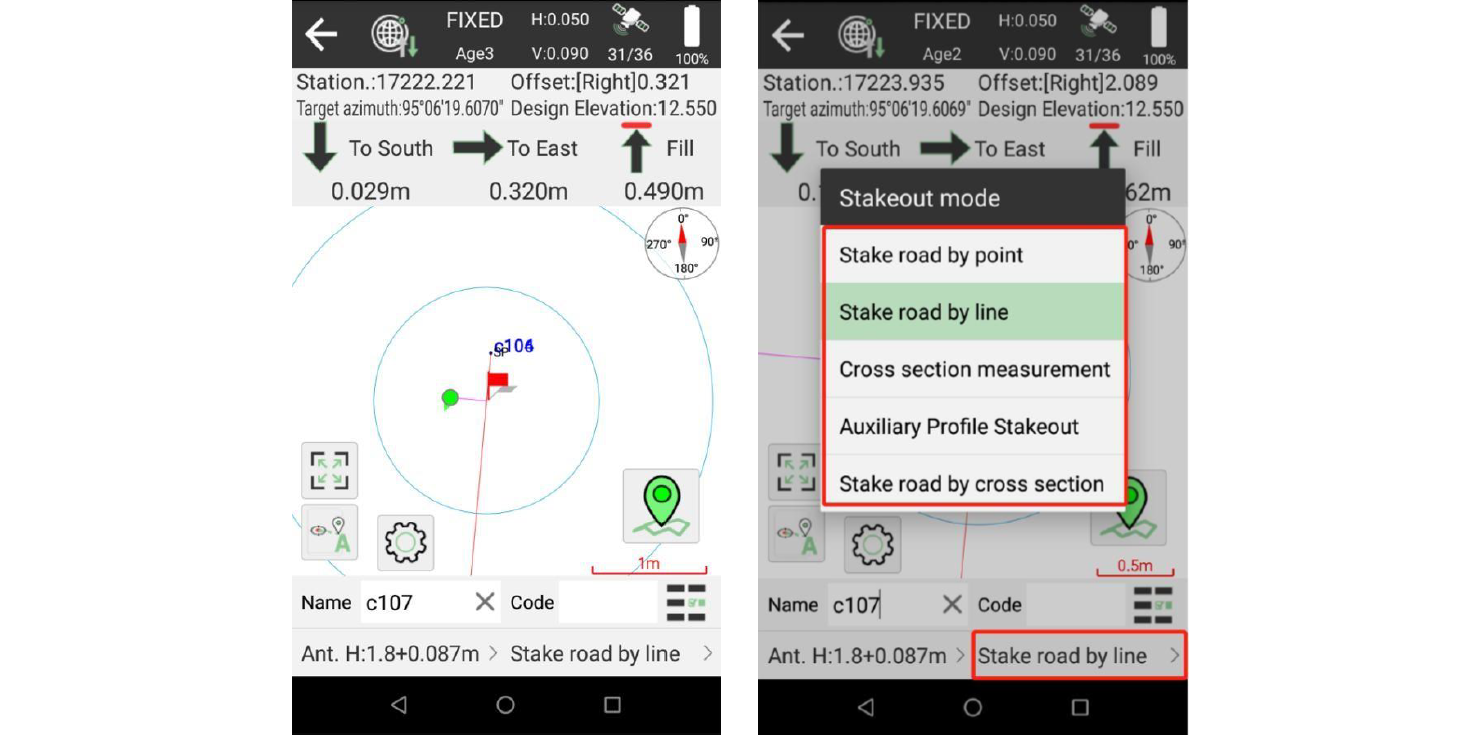
Stake road by line: This is the default mode, guiding you vertically towards the road. Simply follow the route and stake it out.
Stake road by point: Prior to beginning your work, input the necessary parameters to calculate the points you'll stake next.
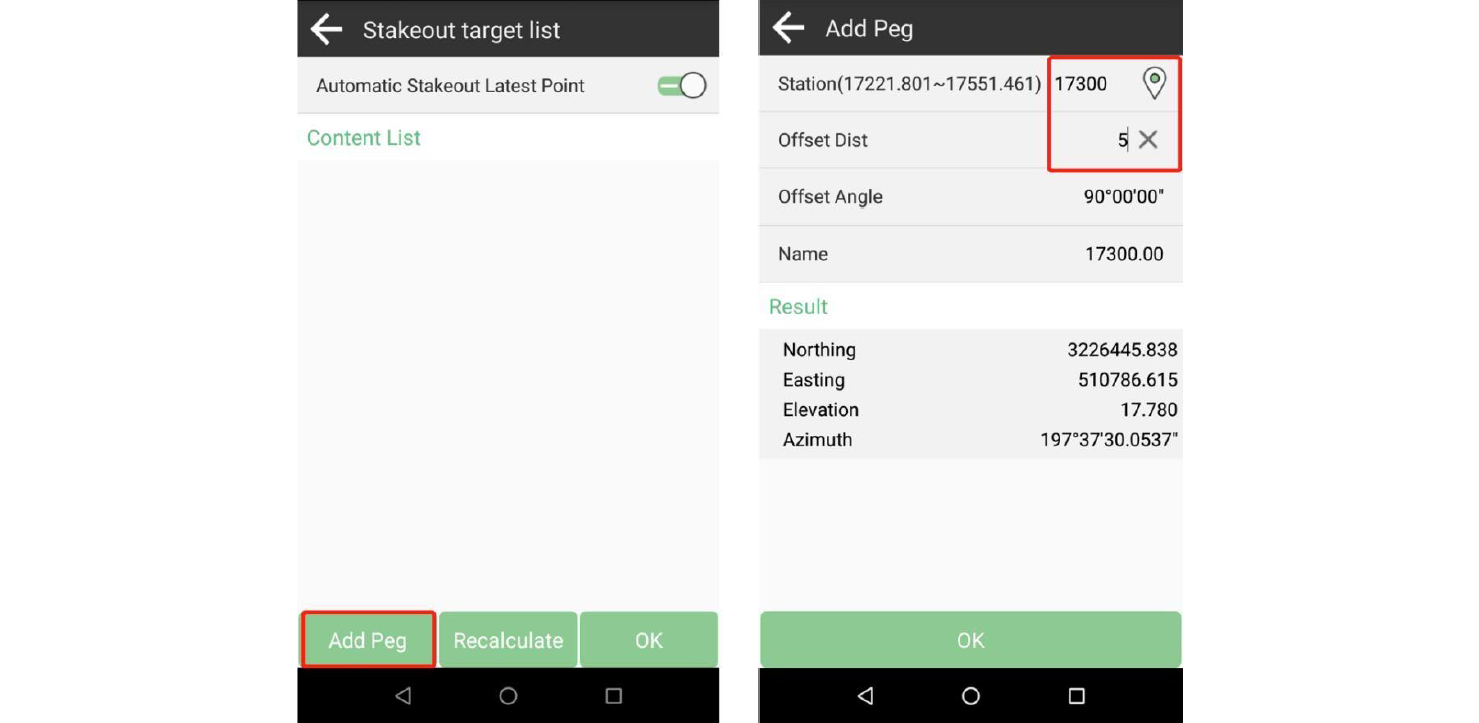
Add peg: Calculate a point once, input the station and offset distance. Enter a positive distance for the point to be on the left side of the road, and a negative distance for the right side.
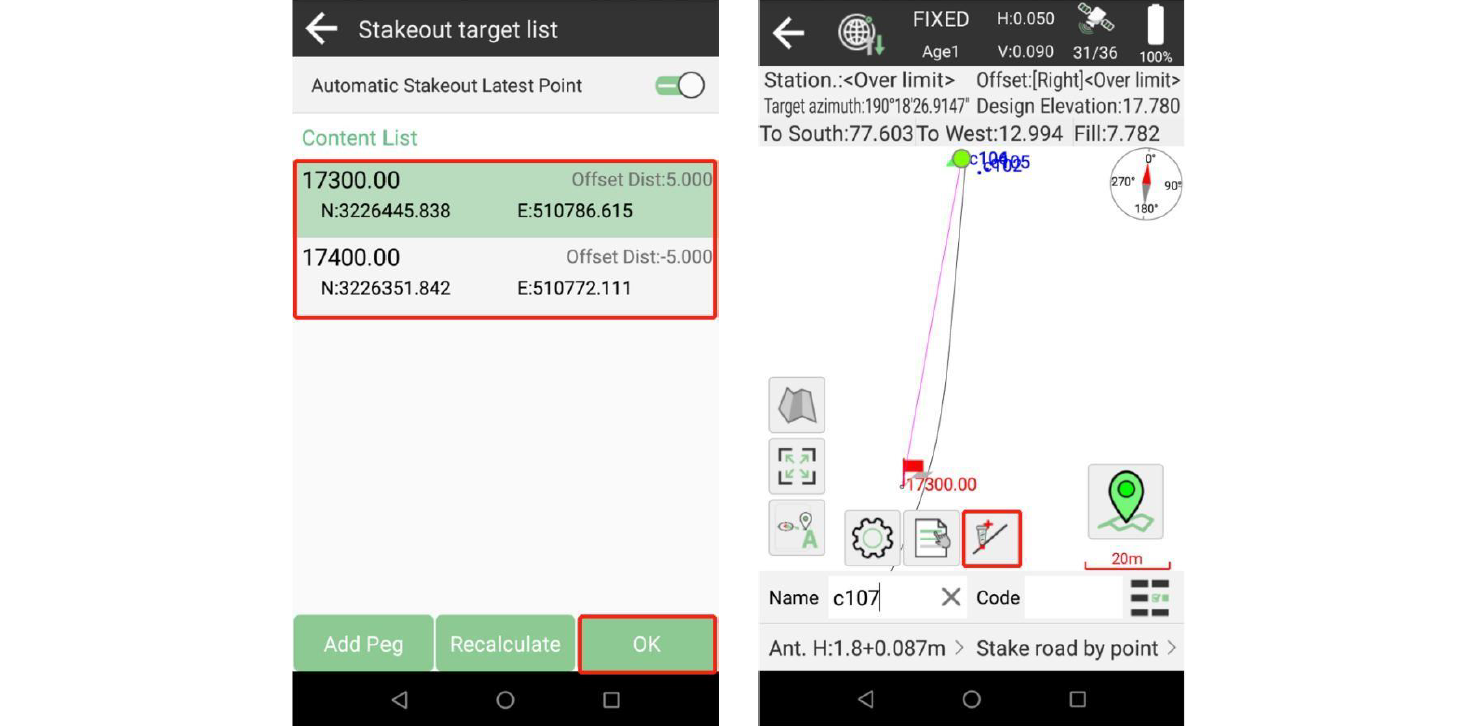
Select a point and follow the navigation information to stake it out. You can also choose the "Recalculate" option to calculate points at specified intervals and offset distances.
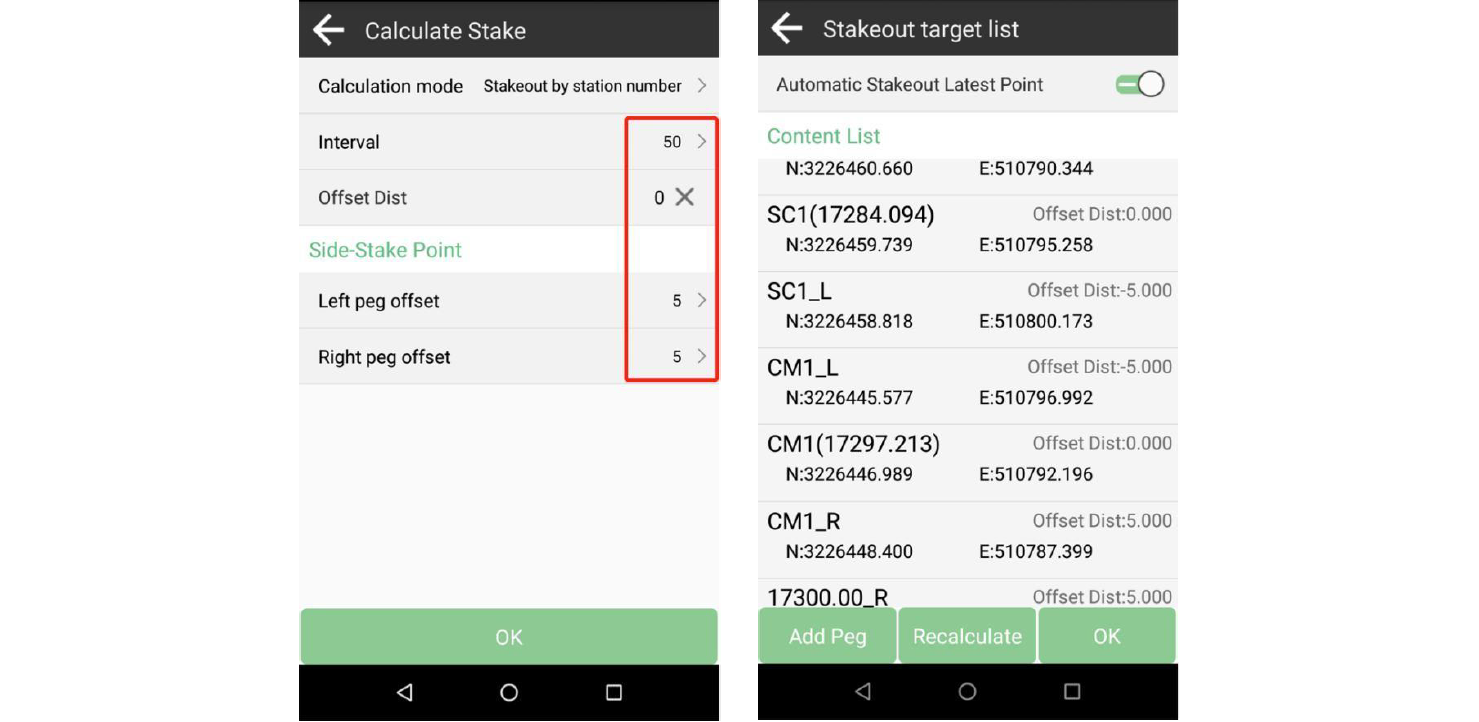
Similar to this mode, there are options for cross-section measurement, auxiliary profile stakeout, and stake road by cross-section. Customize the parameters and stake them out accordingly.
With our journey through SingularPad's road stakeout capabilities coming to an end, we encourage you to delve deeper into the SingularPad software and SingularXYZ RTK devices, exploring their full potential.
Learn more about SingularPad software and SingularXYZ RTK devices